Launching a digital product can create a strange problem.
Before launch, every detail feels important.
You check:
- The product.
- Sales page.
- Checkout.
- Delivery email.
- Product access.
- Promotional emails.
- Links.
- Images.
- Pricing.
Then launch day arrives.
Afterward, the temptation is to reduce the entire experience to one question:
How much did I sell?
Sales matter.
But revenue alone does not tell you whether the launch worked well.
A product can generate sales while creating customer confusion.
Another launch can produce fewer sales than expected while revealing an excellent traffic source, strong customer feedback, or a simple checkout problem that can be corrected.
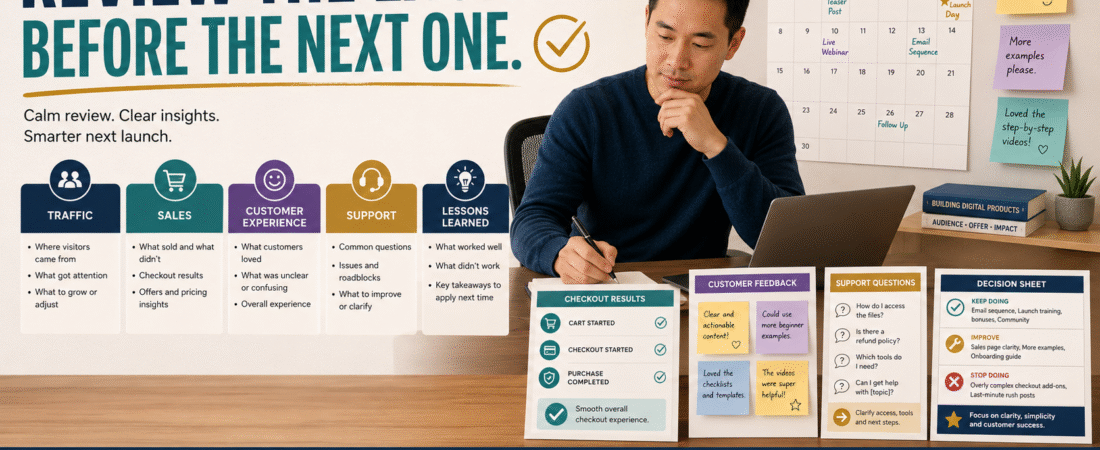
A useful digital product post-launch review asks:
What happened → why did it happen → what should remain → what should change → what should I test next time?
The purpose is not to criticize yourself.
It is to stop repeating preventable mistakes.
Do the Review While the Launch Is Still Fresh
Do not wait six months.
You will forget:
- Which email produced replies.
- Which customer question kept appearing.
- What broke.
- What took too much time.
- What surprised you.
- Which parts felt easy.
- Which assumptions turned out to be wrong.
A practical time to complete the review is after enough information has arrived to understand the launch but while the experience is still recent.
For a small launch, that may mean within several days of the main promotion ending.
Begin With the Original Goal
Before reviewing results, write down what the launch was supposed to accomplish.
For example:
Primary goal: Make the first 25 sales of Product A.
Secondary goal: Learn which objections customers have before buying.
Operational goal: Confirm that checkout and ProductDyno delivery work reliably.
These are different goals.
If you never documented the original objective, it becomes easy to move the goalposts afterward.
You might say:
“We only sold 15.”
But if the original target was 10, the interpretation changes.
The existing guide to launching a digital product without building a complicated launch funnel is useful before this stage because keeping the launch simple also makes the review easier.
Separate Results From Interpretation
Start with facts.
For example:
- 450 people visited the sales page.
- 31 people started checkout.
- 22 purchased.
- 2 requested refunds.
- 7 customers contacted support.
- 14 people replied to promotional emails.
- 3 customers had trouble finding the download.
Do not immediately write:
The launch was bad.
Or:
The sales page failed.
Those are interpretations.
First document what happened.
Then investigate why.
Review Area 1: Traffic
Ask:
- Where did visitors come from?
- Which source sent the most relevant traffic?
- Which promotional content generated clicks?
- Did email outperform social media?
- Did an older blog article contribute?
- Did affiliate traffic contribute?
- Was traffic concentrated on one day?
Avoid obsessing over total website traffic.
You care about the people who actually reached the launch path.
A useful table might look like:
| Source | Visitors | Sales | Observation |
|---|---|---|---|
| — | — | Strong | |
| Blog | — | — | Moderate |
| Social | — | — | Weak |
| Affiliate | — | — | Review |
The exact numbers matter less than identifying useful patterns.
Review Area 2: Sales
Now record:
- Number of orders.
- Gross revenue.
- Average order value if relevant.
- Refund requests.
- Failed payments if visible.
- Coupon usage.
- Upgrade or bundle purchases.
Do not make a complicated finance dashboard.
You want enough information to understand the offer.
If people reached checkout but did not complete it, investigate checkout friction separately from sales-page performance.
If few people reached checkout at all, the issue may be earlier in the customer journey.
Review Area 3: Customer Experience
This may be more valuable than the revenue report.
Ask:
- Did buyers receive confirmation?
- Did they understand where to access the product?
- Did the correct files arrive?
- Did customers know what to do first?
- Did people use the product successfully?
- Was anything unclear immediately after purchase?
The existing provides a useful framework because a launch does not end at the payment confirmation.
A sale followed by confusion is not the customer experience you want to repeat.
Review Area 4: Support Questions
Support messages contain evidence.
Create categories.
For example:
Access: 3 questions
Where to start: 4 questions
File format: 1 question
Refund: 1 question
Product content: 5 questions
Now look for repeated friction.
One isolated question may be individual confusion.
Seven people asking the same thing probably indicates something you can improve.
Possible fixes include:
- Clearer delivery email.
- Better Start Here page.
- Revised sales-page explanation.
- FAQ.
- Improved product labeling.
- Additional example.
Do not automatically add more content.
Sometimes one sentence solves the problem.
Review Area 5: Customer Feedback
Customer feedback after launch can reveal:
- What convinced people to buy.
- What nearly stopped them.
- Which part they valued most.
- Where they were confused.
- What they expected.
- Which requests repeat.
The verified customer feedback loop for digital products is especially useful here because customer suggestions should be treated as evidence—not automatic instructions.
One customer requesting 20 additional lessons does not mean your product needs 20 more lessons.
Look for patterns.
Review Area 6: Refunds
Do not treat a refund only as lost revenue.
Record the reason when the customer voluntarily provides it.
Possible reasons:
- Wrong product fit.
- Expected different content.
- Access issue.
- Technical problem.
- Accidental purchase.
- Price concern.
- Product was too advanced.
- Product was too basic.
One refund can happen for many reasons.
Repeated refunds for the same reason deserve attention.
Review Area 7: The Sales Page
Ask:
- Did the headline match the product?
- Was the audience clear?
- Was the result described realistically?
- Were important limitations explained?
- Was pricing obvious?
- Did customers misunderstand what was included?
- Were frequently asked questions missing?
Customer support and refund data often reveal sales-page weaknesses better than simply staring at conversion rates.
Review Area 8: Email Promotion
Review each launch email.
Ask:
- Which emails produced clicks?
- Which produced replies?
- Which questions appeared afterward?
- Did subscribers unsubscribe unusually often?
- Were messages repetitive?
- Was the sequence too short?
- Too long?
- Did the educational content naturally lead to the product?
Keep useful messages.
Improve weak ones.
Do not rewrite the entire sequence merely because one email underperformed.
Review Area 9: Operational Work
This is important for a small business.
Ask:
What required too much manual work?
Examples:
- Manually resending access emails.
- Repeatedly locating affiliate links.
- Editing the same sales-page information in several places.
- Answering the same support question.
- Manually creating customer accounts.
- Searching for the current product file.
A profitable launch can still be poorly designed if it creates unnecessary ongoing work.
Create Three Lists
After reviewing the evidence, create:
KEEP
Things that worked.
Examples:
- Product positioning.
- Email #2.
- Checkout.
- Delivery system.
- Customer onboarding.
FIX
Things that clearly caused friction.
Examples:
- Confusing login instructions.
- Missing FAQ.
- Broken mobile button.
- Unclear refund language.
TEST
Things you are uncertain about.
Examples:
- Different headline.
- Different bonus.
- Different email schedule.
- Different product-page layout.
This prevents every observation from becoming an immediate change.
Do Not Change Everything at Once
Suppose the launch produces five possible improvements.
If you change all five before the next promotion, you may never know which change mattered.
Prioritize.
Priority 1 — Broken
Fix immediately.
Priority 2 — Repeated Customer Friction
Fix before the next launch.
Priority 3 — Strong Evidence of Improvement
Test deliberately.
Priority 4 — Interesting Idea
Keep in the idea list.
This keeps the business manageable.
Write a One-Page Launch Debrief
Use this structure:
Product:
[Name]
Launch Dates:
[Dates]
Primary Goal:
[Goal]
Result:
[Outcome]
Best Traffic Source:
[Source]
Best Promotional Asset:
[Email/article/etc.]
Most Common Customer Question:
[Question]
Main Friction Point:
[Problem]
Refund Pattern:
[If any]
What Worked:
[3 items]
What Needs Improvement:
[3 items]
What We Will Test Next Time:
[1–3 items]
Do Not Change:
[Things already working]
That is enough for most small launches.
Compare Launches Over Time
After several launches, you can identify patterns.
Maybe:
- Email consistently drives the strongest traffic.
- Customers repeatedly need clearer access instructions.
- A certain type of blog article produces buyers.
- Discounts make little difference.
- Product demonstrations produce more clicks.
- Launches perform better when the audience receives educational content first.
One launch provides clues.
Several documented launches create evidence.
Avoid the Emotional Debrief
Do not write:
I expected more.
Write:
The sales page received 320 relevant visits and produced 14 orders.
Do not write:
Nobody liked the product.
Write:
Seven customers completed the survey; five identified the same confusing instruction.
Specific evidence leads to better decisions.
End With the Next Action
Your review should finish with action.
For example:
Before the next promotion:
- Rewrite delivery email.
- Add Start Here page.
- Keep current sales-page headline.
- Test revised email #3.
- Do not add new bonuses.
Now the review becomes useful.
Conclusion
A digital product launch is not finished when the promotion ends.
The final step is learning from what happened.
Review traffic, sales, customer experience, support questions, feedback, refunds, promotional emails, and operational workload.
Separate facts from opinions.
Identify what worked.
Fix repeated friction.
Test uncertain improvements one at a time.
Then save the findings so the next launch begins with evidence instead of memory.
A good post-launch review does not make the previous launch perfect.
It makes the next one easier to improve.