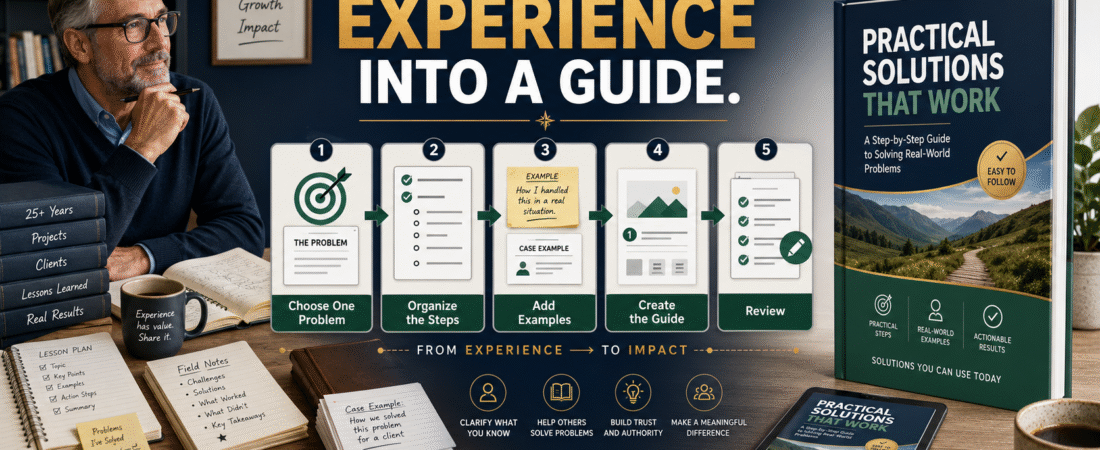
You do not need to be a celebrity, bestselling author, or technical expert to turn your experience into a digital guide.
You need useful knowledge, a clearly defined audience, and a problem you can explain in an organized way.
A retired teacher might understand lesson planning. A longtime manager may know how to train new employees. A caregiver may have developed organizational checklists. An online marketer may know how to set up a simple email system.
The strongest digital guide usually addresses one practical result instead of attempting to document everything you have learned.
Key Takeaways
- Begin with a problem you understand, not a broad life story.
- Choose a specific audience that needs your knowledge.
- Organize the guide around actions the reader must take.
- Add examples, templates, or checklists that improve usability.
- Review the guide for accuracy and completeness before selling it.
Affiliate Disclosure: This article contains affiliate links. If you purchase through one of these links, I may earn a commission at no additional cost to you. Affiliate compensation does not determine the conclusions or recommendations presented in this article.
Why Ordinary Experience Can Be Valuable
People often underestimate knowledge they have used for years.
Tasks that feel routine to you may be confusing to a beginner.
You may know how to:
- Organize a project
- Explain a difficult idea
- Prepare a lesson
- Create a checklist
- Plan a weekly schedule
- Review completed work
- Avoid common mistakes
- Compare tools
- Simplify a process
- Help someone take a first step
The value does not come from presenting yourself as the world’s leading authority.
It comes from organizing what you know into clear guidance for someone who is earlier in the process.
Step 1: Create an Experience Inventory
Write down areas in which you have practical knowledge.
Consider:
- Previous careers
- Teaching experience
- Business experience
- Volunteer work
- Hobbies
- Family responsibilities
- Projects you completed
- Problems you solved
- Systems you developed
- Questions people ask you
Do not judge the ideas yet.
The purpose is to identify possible areas of useful knowledge.
Step 2: Identify the Problems Behind the Experience
A digital guide should solve a problem.
“Thirty Years of Teaching” is an experience category, but it is not yet a product idea.
Possible problems connected to that experience might include:
- New teachers struggle to organize their first week.
- Online educators do not know how to structure lessons.
- Course creators write content without learning objectives.
- Trainers create instructions that assume too much knowledge.
- Ebook writers do not know how to explain complicated ideas simply.
Each problem could support a focused guide.
Step 3: Choose One Reader
Define the intended reader as specifically as practical.
Compare these descriptions:
Too broad:
People who want to learn.
Clearer:
First-time online-course creators who have subject knowledge but limited teaching experience.
The clearer description helps you decide:
- What terminology to explain
- Which examples to use
- What the reader already knows
- Which steps require more detail
- What result is realistic
Step 4: Define the Guide’s Result
Complete this statement:
This guide helps [AUDIENCE] go from [PROBLEM] to [RESULT].
For example:
This guide helps first-time course creators go from a collection of topic ideas to a five-lesson course outline.
That promise is specific and manageable.
Avoid promises involving guaranteed:
- Income
- Sales
- Traffic
- Employment
- Business success
- Publishing contracts
- Customer results
Explain what the guide helps the reader complete.
Step 5: Select the Right Format
A digital guide may be:
- A short ebook
- An action guide
- A workbook
- A checklist pack
- A template collection
- A planning manual
- A resource guide
- A step-by-step tutorial
Choose the format based on what the reader needs.
A checklist fits a process with several items to verify.
A workbook fits a process involving decisions.
A short ebook fits a subject requiring explanation.
A template collection fits a task the reader repeats.
Step 6: Organize the Guide Around Reader Actions
Do not organize the guide only around what you want to discuss.
Organize it around what the reader must do.
A guide about creating a first online course might use:
- Define the student.
- Identify the student’s problem.
- State the course result.
- Choose the major stages.
- Turn the stages into lessons.
- Add activities.
- Review the student experience.
The sequence gives the reader a path.
Step 7: Add Practical Examples
Examples show readers how an instruction works.
Suppose you tell the reader:
Choose a narrow course topic.
Add an example:
Broad topic: Online marketing
Narrower topic: Email marketing
Focused beginner course: Create a Three-Email Welcome Sequence for Your First Lead Magnet
The example shows the level of focus you expect.
Use examples that reflect your intended reader rather than generic business situations.
Step 8: Include Reusable Tools
A useful digital guide may contain:
- Worksheets
- Checklists
- Templates
- Questions
- Decision charts
- Planning pages
- Progress trackers
- Quality-control reviews
These tools help the reader apply the information.
For example, a course-planning guide might include a lesson worksheet with spaces for:
- Lesson objective
- Main explanation
- Example
- Activity
- Common mistake
- Next step
Step 9: Use AI as an Assistant
AI can help you:
- Organize notes
- Group related ideas
- Create a possible outline
- Identify missing explanations
- Develop example variations
- Draft worksheet questions
- Review readability
- Find repeated points
Do not ask AI to invent your experience.
Provide the actual knowledge you want to use and instruct the AI to organize it without adding personal claims.
A practical prompt could say:
Organize these notes into a beginner digital-guide outline. Preserve the lessons I provided. Do not invent personal stories, results, or credentials. Identify any section where a reader may need an example or additional instruction.
Step 10: Develop the First Draft
Write the first version without trying to make every paragraph perfect.
Focus on:
- Complete instructions
- Logical order
- Clear explanations
- Useful examples
- Reader action
You can improve style during the editing stage.
People who want assistance developing ebooks, guides, checklists, and other digital products can review the current AI Product Engine offer.
A creation tool may help organize and develop content, but the final product still requires your knowledge and review.
A Practical Retired-Teacher Example
Imagine a retired teacher who spent years helping students complete research projects.
The teacher could create:
The Beginner’s Research Project Planning Guide
The audience might be parents helping middle-school students.
The guide could include:
- Choosing a manageable topic
- Writing a research question
- Finding appropriate sources
- Taking organized notes
- Creating an outline
- Writing the first draft
- Reviewing the finished project
The product would not need to contain every teaching method learned during a career.
It would apply selected experience to one specific problem.
Step 11: Review for Accuracy and Responsibility
Read every section and ask:
- Is the information current?
- Am I qualified to explain this subject?
- Have I separated experience from opinion?
- Are legal, medical, financial, or technical claims supported?
- Have I invented any results?
- Are examples clearly identified as examples?
- Does the guide require professional disclaimers?
- Can a beginner follow the steps without hidden information?
Remove claims that cannot be supported.
Step 12: Create a Professional Presentation
A useful guide should also be easy to read.
Use:
- Clear headings
- Manageable paragraphs
- Consistent fonts
- Adequate spacing
- Descriptive file names
- Simple page numbers
- Readable worksheets
- A clean table of contents when appropriate
ClickDesigns may be relevant to creators who need ebook covers, product graphics, mockups, worksheets, and related visual assets. You can review the current ClickDesigns options.
Design should support the information rather than make exaggerated promises.
Step 13: Test the Guide
Ask someone from the intended audience to review it when possible.
Ask:
- Which instruction was confusing?
- Which step appeared incomplete?
- Which example helped most?
- What question remained unanswered?
- Was the final action clear?
- Did any worksheet require information that was not provided?
Use the feedback to improve the guide before selling it widely.
Common Experience-Based Product Mistakes
Making the Subject Too Broad
A guide about your entire career may lack a clear customer result.
Choose one useful process.
Writing Only About Yourself
Personal experience can support the lesson, but the reader should remain the focus.
Assuming the Reader Knows the Basics
Explain terms and steps that were automatic in your former work.
Creating Too Much Content
A complete 30-page guide may be more useful than a 200-page manuscript filled with unrelated information.
Claiming Experience You Do Not Have
Use only truthful knowledge and examples.
A Seven-Step Starting Plan
- List ten areas of experience.
- Identify one problem connected to each.
- Choose the problem you can explain best.
- Define the intended reader.
- Write the practical result.
- Create a seven-section outline.
- Draft the first section and one worksheet.
You do not have to create the complete product before confirming that the idea is clear.
Conclusion
You can turn your experience into a useful digital guide by selecting one audience, one problem, and one practical result.
Organize the guide around reader actions, include examples and reusable tools, and review every instruction for accuracy and completeness.
Choose one area of experience today and write down the specific beginner problem it could help solve.